
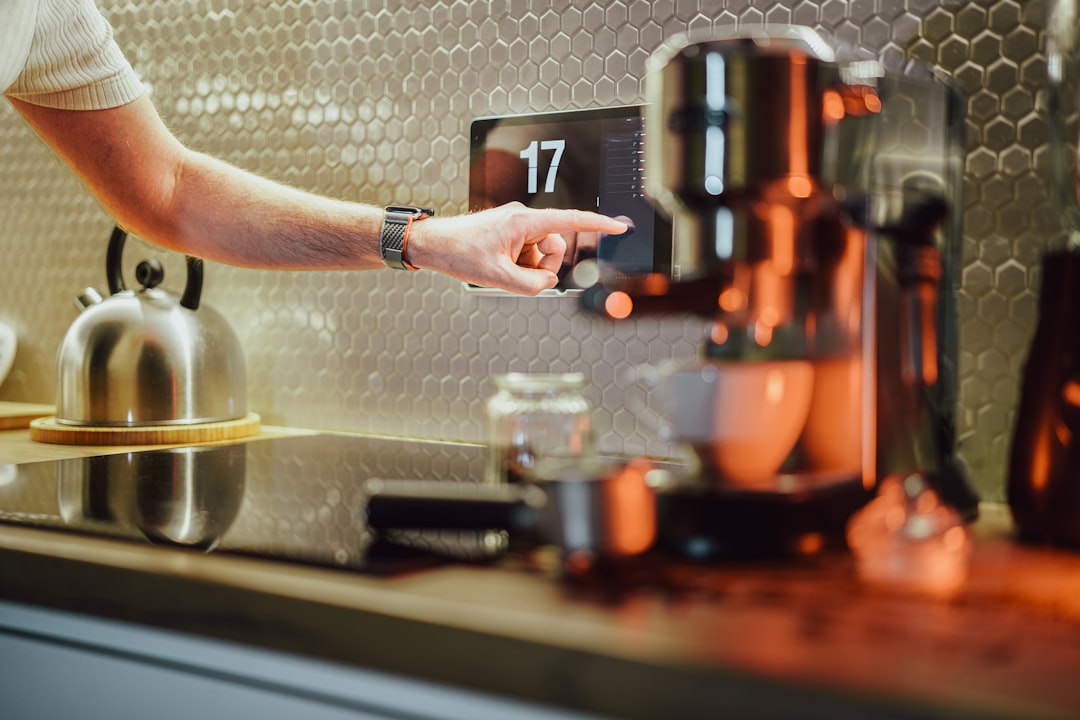
Smart Kitchen Essentials Every Home Should Have
Upgrading your kitchen with smart tools doesn’t mean turning your home into a gadget showroom. It means choosing technology that saves time, reduces waste, improves safety, and makes everyday cooking more predictable. The right mix of connectivity, appliances, and sensors can transform meal prep and cleanup into efficient, enjoyable routines.
This guide lays out the practical smart kitchen essentials you can adopt now—what they do, how to evaluate them, and simple placement and security tips so your setup works reliably for years.
1. A reliable home network is your foundation
Smart appliances, voice assistants, and sensors all depend on stable Wi-Fi. Prioritize a router that supports multiple devices, quality-of-service features, and modern Wi‑Fi standards (Wi‑Fi 6 if possible) to avoid lag or disconnections during busy mealtimes.
For a compact kitchen home or a connected apartment, consider a high-performance option like the Cudy AX3000 Dual-Band Wi‑Fi 6 Router—it balances range and device capacity without getting into complex mesh setups.
2. Voice control and smart speakers to keep hands free
Voice assistants let you set timers, convert measurements, add items to shopping lists, or call up recipes without touching screens while cooking. Choose a speaker that integrates with your preferred ecosystem and has far-field microphones to hear you over dinnertime noise.
If you’re shopping for connected audio or voice devices and want to compare features and compatibility, check product categories focused on electronics such as Tech & Gadgets to find hardware that pairs well with kitchen systems and voice assistants.
3. Smart cooking appliances that improve consistency
Start with one or two smart appliances that address your most frequent tasks. For many homes, a counter-top multi-cooker (instant pot-style), an air fryer, or a precision sous-vide circulator delivers the most value. These appliances use built-in programs or app control to maintain steady temperatures and reduce monitoring time.
For basic large-surface cooking—pancakes, grilled sandwiches, family breakfasts—a reliable electric griddle can be a time-saver. Consider robust, easy-clean options like the BELLA XL Electric Ceramic Titanium Griddle for even heat distribution and fast cleanup.
4. Sensors and safety devices: prevent costly damage
Smart smoke/CO alarms, water-leak sensors, and smart shutoff valves are high-impact purchases because they protect property and health. Place water sensors under sinks, near dishwashers, and by washing areas. Smoke and CO alarms should be on ceilings and interconnected if possible.
You’ll find many practical kitchen safety and accessory items listed under the site’s home and kitchen category—browse the Home Essentials selection to match sensors and mounts with your layout.
5. Smart plugs, timers, and energy monitoring
Not every device needs to be smart on its own. Smart plugs and timers let you control lamps, slow cookers, coffee makers, and under-cabinet lighting remotely or with schedules. Look for plugs that report energy usage if you want to track and optimize appliance power draw. Place always-on devices (router, freezer) on a stable outlet and avoid overloading smart strips.
6. Smart scales, inventory, and food storage systems
Digital kitchen scales with app connectivity streamline baking and portion control. Smart food storage solutions—vacuum sealers with app timers or containers that track freshness—can reduce waste and save money. Use inventory tracking apps or connected label printers to keep staples organized and avoid duplicate purchases.
7. Easy-clean surfaces and setup for hygiene
Design your smart kitchen with hygiene in mind: washable covers for high-touch items, elevated placements for devices away from splashes, and materials that tolerate frequent cleaning. Choose appliances with detachable, dishwasher-safe parts to simplify maintenance. Keep voice devices and touchscreens on stands or wall mounts to minimize contact with messy hands.
8. Integration tips and security best practices
Integrate gradually: start with a core device such as a router and a voice assistant, then add appliances. Use a dedicated IoT network or guest network for smart kitchen devices to limit exposure if one device is compromised. Change default passwords, enable two-factor authentication when available, and keep firmware updated.
Checklist: What to buy first
- Reliable router or network upgrade (supports your household devices)
- Voice assistant or smart speaker placed away from stove splatter
- One smart appliance that solves your biggest pain point (pressure cooker, air fryer, or griddle)
- Water-leak sensor under sink/dishwasher and smart smoke/CO alarms
- Smart plugs for non-smart appliances and energy monitoring
- Digital kitchen scale and proper food storage tools
Practical placement and setup recommendations
Place the router centrally or high in your home for better coverage; avoid tucking it behind the refrigerator. Mount speakers or assistants on countertops but away from heat sources and sinks. Put sensors at likely failure points (under sinks, behind dishwashers) and test them monthly. Label plugs and outlets during setup so guests or family members can find manual overrides quickly.
How to choose based on lifestyle
If you cook daily for a family, prioritize multi-function appliances, energy monitoring, and leak detection. For singles or couples who meal‑prep, invest in precision tools—smart scales, sous‑vide, or app‑guided slow cookers. If you host often, focus on speakers, multi-zone lighting control, and quick cleanup appliances that can handle volume.
Conclusion: Small upgrades, big improvements
Smart kitchen essentials are less about having every new gadget and more about selecting connected tools that solve real problems: unreliable Wi‑Fi, unpredictable cooking times, safety gaps, and food waste. Start with a strong network and one high‑impact appliance, add safety sensors, and expand with smart plugs and storage solutions.
Practical takeaway: pick one connectivity upgrade and one appliance that address your daily friction—install them correctly, secure the network, and expand slowly from there.
FAQ
- Q: Do smart kitchen devices work without Wi‑Fi?
A: Some devices use Bluetooth or local networks and will handle basic functions offline, but most smart features and remote control require Wi‑Fi. - Q: Are smart appliances worth the extra cost?
A: They are worth it if they save you time, reduce waste, or add measurable convenience. Prioritize appliances that solve frequent problems rather than flashy extras. - Q: How do I secure my smart kitchen devices?
A: Use a strong router, change default passwords, enable firmware updates, and consider placing devices on a dedicated IoT or guest network. - Q: Which sensors are most important for the kitchen?
A: Water-leak sensors under sinks/dishwashers and smoke/CO alarms are top priorities because they protect health and property. - Q: Can I integrate legacy appliances into a smart setup?
A: Yes—smart plugs, smart switches, and appliance controllers can add scheduling and remote control to older devices, though energy monitoring and built-in safety features may be limited.
Products Featured in This Article

BELLA XL Electrical Ceramic Titaniu…
XL ELECTRIC GRIDDLE: This hardworking extra-large griddle features a 1500 watt heating system, cool touch handles…

Cudy New AX3000 Twin Band Wi-Fi 6 R…
AX3000 Wi-Fi 6, Upgrades Everything. AX3000 dual-band Wi-Fi provides 160MHz bandwidth and 1024-QAM for dramatically faster…